Security
What we can see, and what we can't
Your files are encrypted on your Mac, with a key that's created on your Mac and never leaves it. We don't have a copy. If someone took every disk we use, or ordered us to hand over your files, all they'd get is noise.
That has a cost, and you should know it up front. If you lose your 24 words and your Mac, nobody can get your backup back.
What we can see
- Your email address, and whether you've paid.
- Your computer's name, and when it last connected. That name is often your own.
- Your IP address when your Mac connects. We keep only a hash of it.
- How much encrypted data your Mac stores, and when it stores, reads or deletes it.
- The size of each encrypted bundle your data is grouped into. Today that's close to exact: a file saved on its own shows its size almost to the byte. That's enough for us or our storage provider to check whether you have a particular file we already have a copy of. We're fixing this, and this line will change when the fix ships.
What we can't see
- Your files, or any part of them.
- File names, folder names, or how your folders are arranged.
- Your key. It's never sent anywhere, even during a restore.
Your key
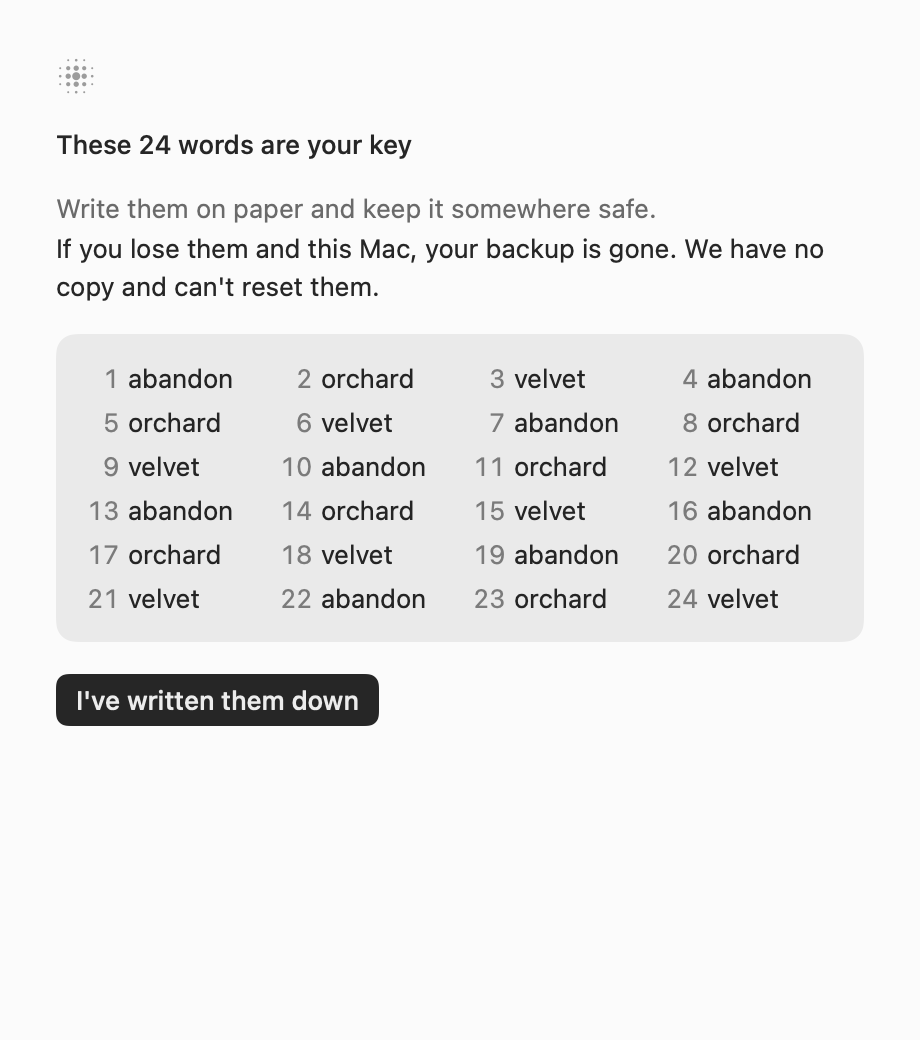
When you set up Backspark, your Mac generates 256 random bits. You write them down as 24 words, and the Mac keeps them in its Keychain. There's no password, so there's nothing weak to guess and nothing for us to store. Setup doesn't finish until you've shown you have the words.
How it works
- Encryption
- AES-256-GCM, with a separate key for every bundle of data, so that an encryption nonce can never repeat under one key.
- No public-key cryptography
- Your data is protected by symmetric keys alone. There's no RSA or elliptic curve wrapping it, so there's nothing for a future quantum computer to attack in data recorded today.
- Fingerprints
- Duplicate data is found using BLAKE3 keyed with your secret, so these identifiers mean nothing outside your Mac.
- Chunking
- Where files get split depends on your key, so chunk boundaries don't match anyone else's. Bundle sizes still give file sizes away today, as above.
- Tampering
- Every piece of a file is authenticated and tied to its place in a bundle. If a bit changes or pieces get swapped, Backspark notices and refuses it. A new Mac can't tell whether it's being shown your newest backup, so whoever runs storage could show it an older one. Today, whoever runs storage can also trick your Mac into deleting older backups it should keep. They still can't read them. We're fixing this before we take customers.
- Restores
- Restoring happens on your Mac. Storage sends encrypted data and your Mac decrypts it. No server ever does.
If your Mac is compromised
Malware on your Mac could try to destroy your backup too. Your Mac never holds storage credentials, and every request is signed by our servers, one object at a time. Deletions are limited, and old versions are meant to stay recoverable for 30 days.
What hasn't happened yet
No outside firm has audited Backspark. The design is built from standard parts, and an audit is planned before we ask anyone to rely on it. Until then, treat these claims as ours, not anyone else's.
The hosted service and that 30-day recovery aren't set up or tested yet, and storage has only had a small test, so what's above describes what's built, not something running.